Design Systems
Two design systems, each built inside the product it served.
Fittra’s runs a live app on iOS and Android. COCA’s runs a list of therapists that works on any screen. In both, parts were built from real screens when the product needed them. Both were checked against WCAG 2.1 AA.
Featured Case Study
Fittra Wellness · 2025 - Present
Fittra: a shipped design system on iOS and Android
Zero-to-one component library for a live wellness app, built alongside the product in Figma and carried through to shipped code. Designed and built solo with AI-assisted tooling, shipped to iOS and Android via Capacitor, on a tokenized foundation covering color, typography, spacing, dark mode, and WCAG 2.1 AA accessibility patterns.
Brief
Fittra needed a design system that could support a full wellness product shipping to iOS and Android on day one, without the team ever stopping to refactor color or spacing later. Visual consistency and dark-mode support were table stakes; handoff speed and accessibility were the real goals.
Approach
Built a three-tier token architecture; primitives, semantic, component that were
consolidated into a single source of truth fittra-design-system.css,
with a thin theme-refined.css layer that re-maps the semantic set to
shift the product's entire surface without touching a component.
Components were designed in Figma and implemented in Angular alongside the product,
so every component earned its place by solving a real screen need first.
What shipped
27 reusable components powering 23 screens across iOS and Android, backed by 833 design tokens and a dedicated WCAG 2.1 AA accessibility layer (focus-visible indicators, reduced-motion support). Dark mode is its own mapped token set.
The token count reflects a tiered structure rather than a flat list: primitive tokens define the raw values, semantic tokens map them to intent, and component tokens bind intent to specific components. That layering is what makes dark mode and cross-platform theming a change in one place instead of twenty-four.
Direction
Why the system looks this way
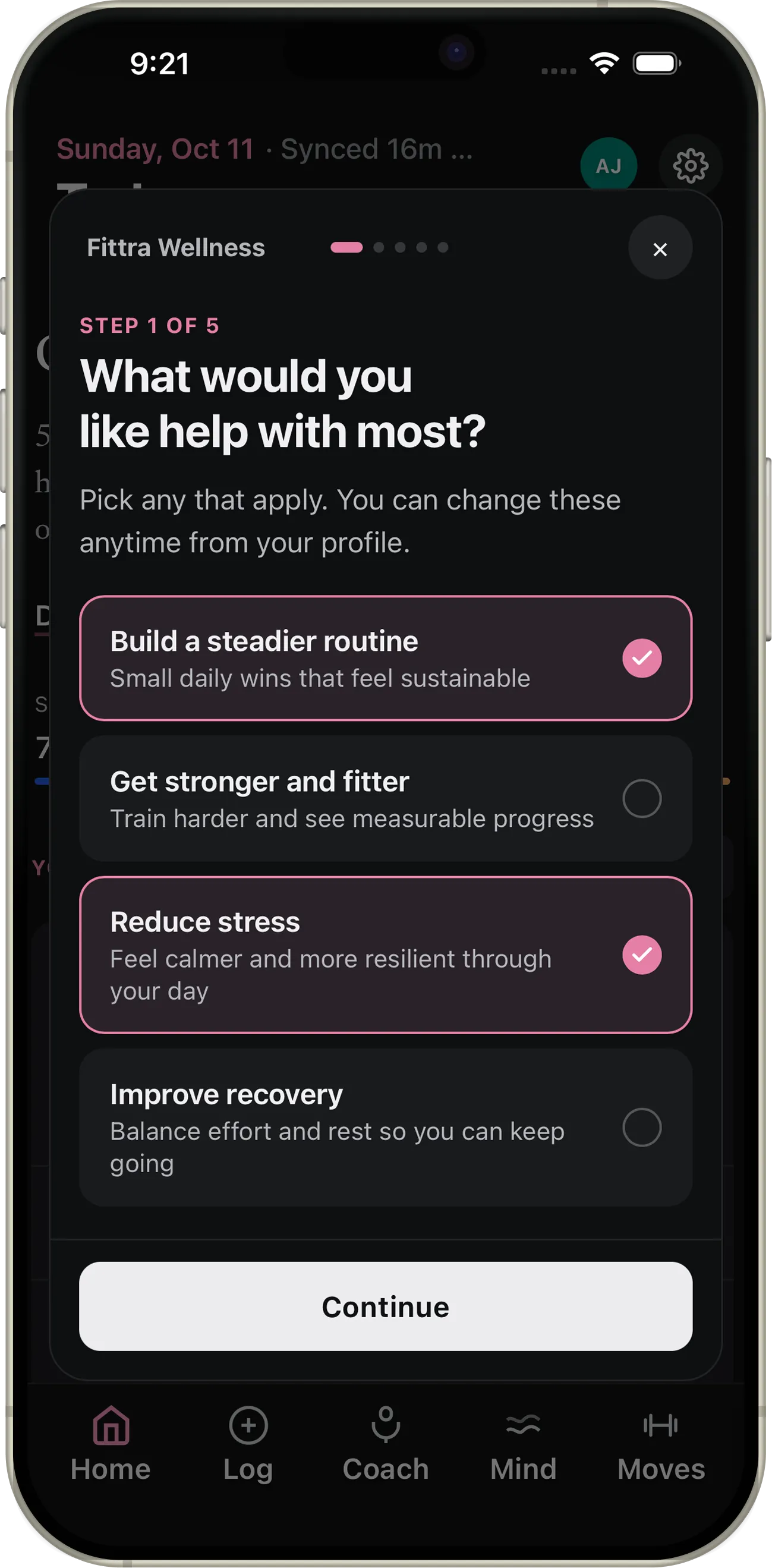
Early versions of Fittra were loud: hot pink on soft blue, illustrated widgets, a big greeting. In testing, most people wanted to see why the AI was recommending something. So the visual language stepped back to let the reasoning lead, and the system added three things:
- Neutral ink for actions, with rose as the one brand color
- The triggering signal and a priority label on every recommendation
- A second typeface, used only for the coach’s voice
Themes
One system, two themes
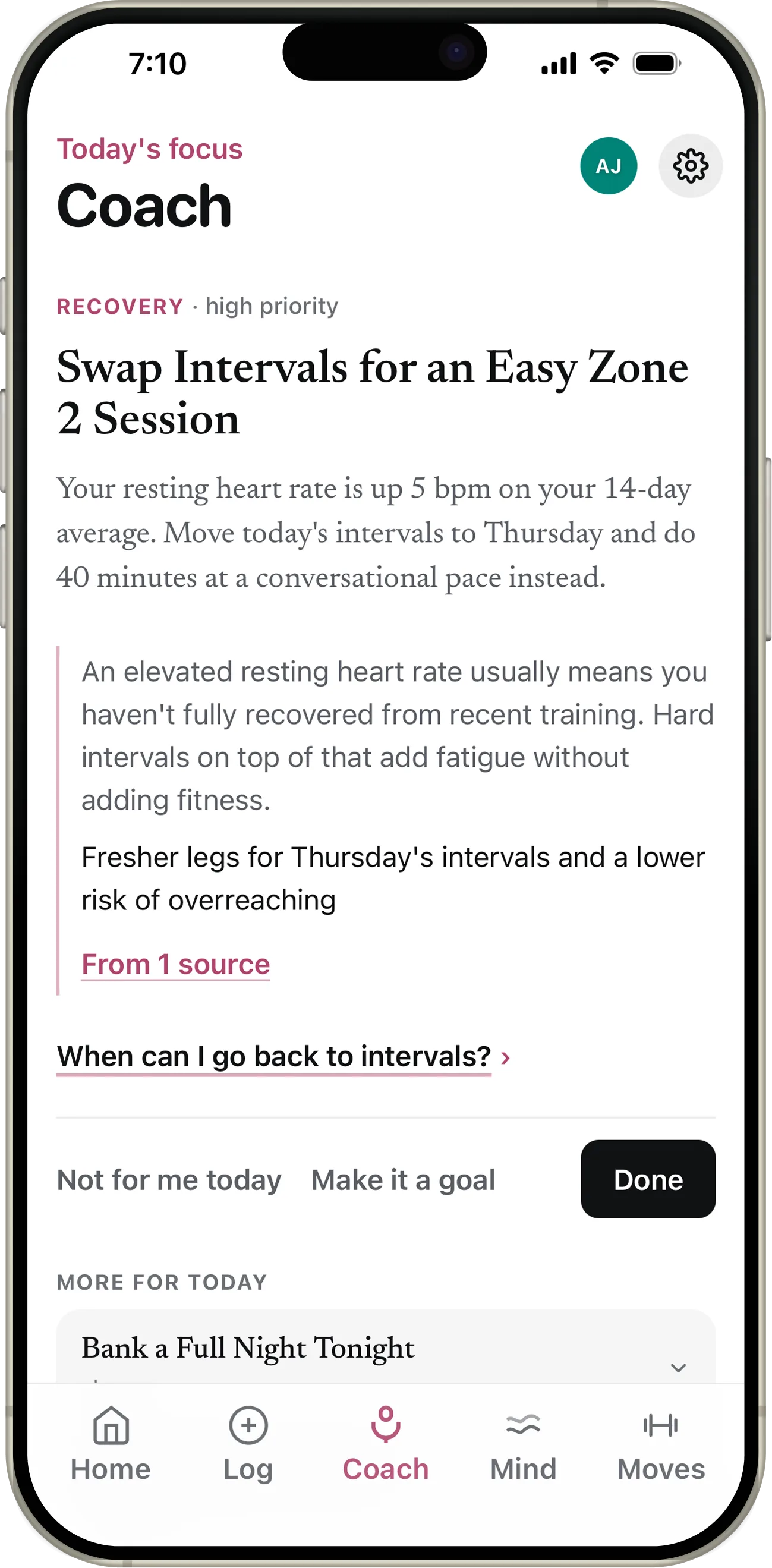
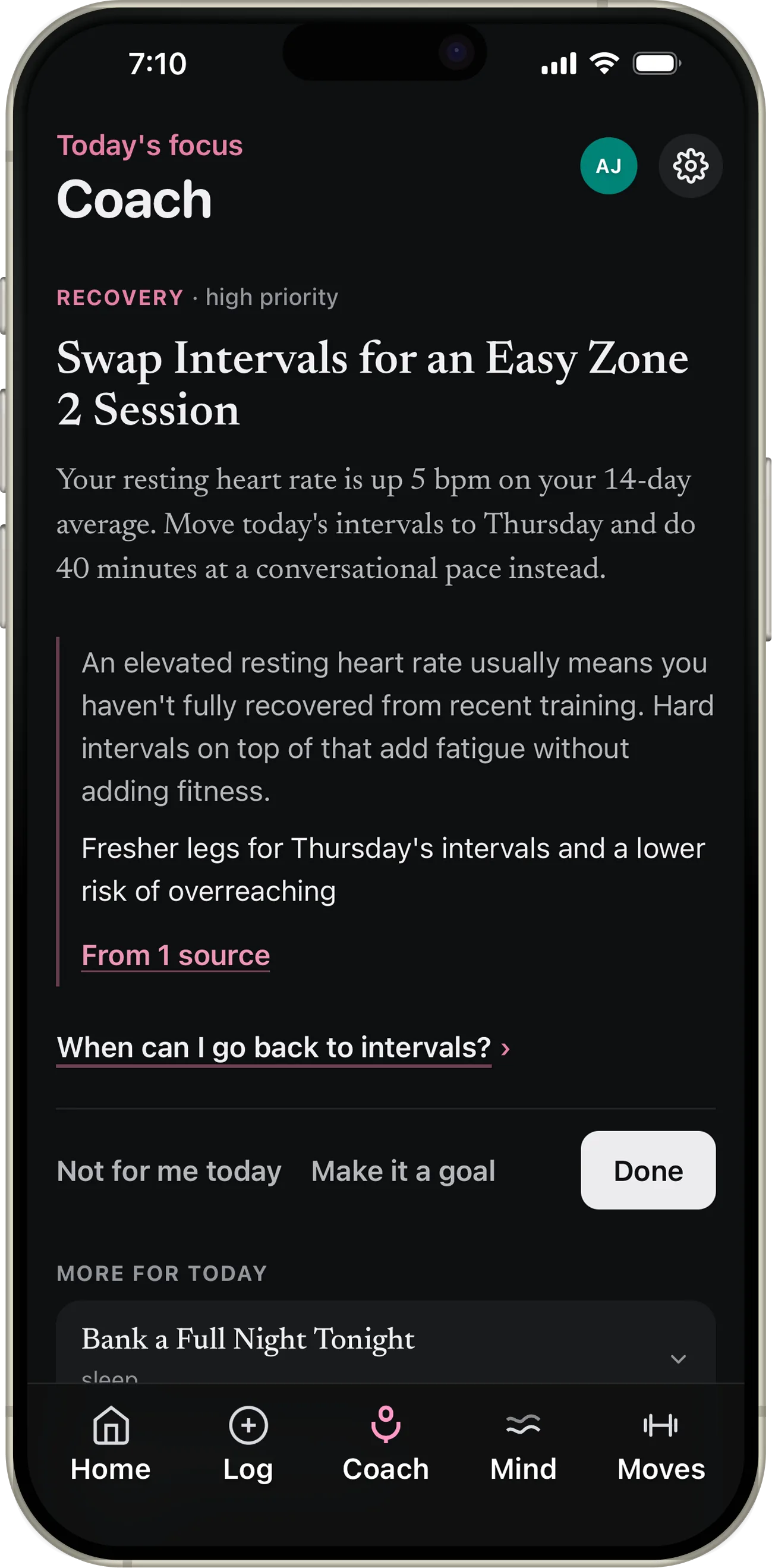
The same Coach screen in light and dark. Dark mode uses a warm near-black
(#0e0f10) instead of pure black, with raised cards in charcoal.
Both themes come from the same semantic tokens, remapped in theme-refined.css,
and ship on iOS and Android.
Demo data.
Typography
Two voices
The app’s labels, chips, controls and numbers use the system sans, with rounded headings for warmth. The coach’s own sentences switch to Newsreader, a serif built for reading on screens. The split mirrors the product: the numbers, and the voice that interprets them.
The app · SF Pro Rounded headings on iOS, Nunito on Android
Today’s Focus
Sleep 7h 20m · Steps 8,542 · Resting HR 69
The coach · Newsreader
Swap intervals for an easy Zone 2 session
Your resting heart rate is up 5 bpm on your 14-day average. Move today’s intervals to Thursday.
Accessibility
WCAG 2.1 AA, checked on the shipped build
Fittra ships with a dedicated wcag-focus.css layer for enhanced focus
indicators, and animation across the app respects prefers-reduced-motion.
20 of its 27 shared components carry explicit ARIA attributes and
13 use semantic role= values. An axe audit of the
shipped build across 15 production routes, in both light and dark mode, returns zero
WCAG 2.1 A/AA violations; the same build was walked by keyboard and with VoiceOver.
/* Global focus styles for all interactive elements - WCAG 2.1 AA */
button:focus-visible,
input:focus-visible,
select:focus-visible,
textarea:focus-visible,
[tabindex]:focus-visible,
a:focus-visible {
  outline: 3px solid var(--focus-brand) !important;
  outline-offset: 2px !important;
  box-shadow: 0 0 0 1px var(--surface-primary),
              0 0 0 5px var(--focus-brand) !important;
}

/* Enhanced focus for buttons - WCAG 2.1 AA */
.create-goal-btn:focus-visible,
.action-btn:focus-visible,
.submit-button:focus-visible {
  outline: 3px solid var(--focus-brand) !important;
  outline-offset: 2px !important;
  transform: translateY(-1px) !important;
  box-shadow: 0 0 0 1px var(--surface-primary),
              0 0 0 5px var(--focus-brand),
              var(--shadow-focus) !important;
}wcag-focus.css · enhanced focus indicators & a11y utilitiesPrior Systems
-
Central Ohio Counseling Association · 2021
COCA Component Library
Role · Lead designer
Accessible, warm component library for a responsive healthcare web directory. WCAG 2.1 AA throughout, with an approachable non-clinical visual language.
Token Architecture
Real tokens from fittra-design-system.css
Tier 1 · Primitive
Raw values consolidated into a single source of truth. Never used directly in components.
-
--blue-500 = #3b82f6 -
--green-500 = #14b8a6 -
--amber-500 = #f59e0b -
--neutral-900 = #171717
Tier 2 · Semantic
Named by purpose, not value. Components consume these. This is what makes Fittra's dark mode a mapped token set rather than overrides.
-
--text-primary → neutral-900 -
--bg-subtle → neutral-50 -
--brand-primary → blue-500 -
--success → green-500
Tier 3 · Component
Scoped to specific components. Built from semantic tokens so component-level theming stays surgical.
-
--bg-brand → brand-primary -
--surface-primary → bg-subtle -
--focus-ring → brand-primary -
--bg-warning → amber-500
The systems are easier to judge in the products they built.
Every system on this page exists because a product needed it. The Fittra and COCA case studies show what the tokens and components made possible: two platforms from one person, and an accessible directory that replaced a Word document.
See the products